
Why Cloud Costs Keep Rising for SAP in the UAE: The FinOps for SAP Solution
UAE companies moving SAP workloads to the cloud expected lower costs. Instead, many see monthly bills that keep climbing. FinOps for SAP offers a proven path to reduce these costs by 25% or more without affecting system performance.
The problem isn’t cloud itself. It’s how SAP systems get managed in cloud environments.
Traditional IT cost management doesn’t work for SAP in the cloud. SAP HANA requires massive memory. Application servers need specific sizing. Storage demands change with business cycles.
Without proper FinOps for SAP practices, companies overprovision resources “to be safe.” They pay for 24/7 availability when systems run idle at night. Development environments stay running on weekends.
The rapid shift of SAP workloads to the cloud
UAE organizations are moving SAP to cloud faster than ever:
- Government digital transformation mandates pushing cloud adoption
- SAP’s 2027 ECC support deadline creating urgency
- RISE with SAP packages bundling cloud infrastructure
- Hyperscalers like AWS, Azure, and Google Cloud offering SAP-certified instances
- Dubai and Abu Dhabi free zones requiring modern infrastructure
This shift is necessary. But rushing to cloud without FinOps practices creates cost problems.
Why many organizations see higher bills instead of savings
Research shows 28% of cloud spending is wasted. For SAP workloads, waste can be even higher.
Common reasons UAE companies overspend on SAP in cloud:
- Development and quality systems sized same as production
- SAP HANA memory overprovisioned by 30-40%
- Storage on premium tiers when standard would work
- Test environments running continuously
- Sandbox systems forgotten and left active
- No visibility into which business units drive costs
How performance concerns block cost optimization
IT teams resist optimization because they fear breaking SAP:
- “What if we resize HANA and response time suffers?”
- “What if we pause development and can’t meet project deadlines?”
- “What if cheaper storage impacts database performance?”
These fears are understandable. SAP performance directly affects business operations. A slow ERP system frustrates users. A crashed financial close disrupts the entire company.
But FinOps for SAP isn’t about sacrificing performance. It’s about paying only for the performance you actually need.
What FinOps Really Means for SAP Environments
FinOps stands for Financial Operations. It’s a framework that brings IT, finance, and business teams together to manage cloud costs.
For SAP specifically, FinOps for SAP means understanding the unique cost drivers of SAP systems and optimizing them systematically.
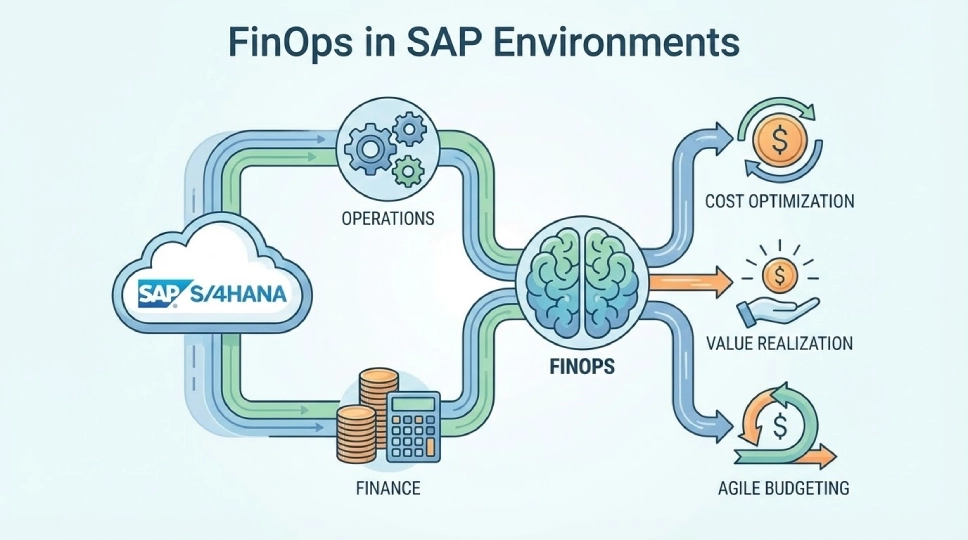
Moving beyond basic cloud cost cutting
Basic cost cutting focuses on finding expensive resources and shutting them down.
FinOps for SAP goes deeper:
- Understanding SAP performance requirements for each environment
- Matching cloud resources to actual business demand
- Creating visibility into who uses what and why
- Building accountability for SAP cloud spending
- Automating optimization to prevent cost creep
- Continuously improving as SAP usage evolves
Why FinOps is cross-functional, not just finance
Traditional IT budgeting happens once per year. Finance sets budget, IT spends it.
Cloud SAP doesn’t work that way:
- IT knows technical SAP requirements and performance needs
- Finance understands budget constraints and cost allocation
- Business determines which SAP capabilities actually matter
All three must collaborate continuously. IT can’t optimize alone. Finance can’t dictate technical decisions. Business must prioritize which SAP features justify cost.
How FinOps applies specifically to SAP workloads
Cloud-native applications scale automatically. SAP systems don’t.
SAP HANA databases need careful sizing. Application servers require specific configurations. Integrations depend on network performance.
FinOps for SAP addresses these specifics:
- Right-sizing SAP HANA based on actual memory usage patterns
- Scheduling non-production SAP systems to run only when needed
- Optimizing storage tiers for different SAP data types
- Managing SAP licensing implications of cloud deployment
- Balancing high availability requirements with cost
Why Traditional Cost Management Fails for SAP in Cloud
Most UAE companies try to manage SAP cloud costs the same way they managed on-premise infrastructure. This fails every time.
Why SAP behaves differently from cloud-native applications
Cloud-native apps are designed for elastic scaling:
- Automatically add servers when traffic increases
- Remove servers when demand drops
- Break down into small microservices
- Run stateless wherever capacity exists
SAP doesn’t work like this:
- SAP HANA database must stay in memory
- Application servers maintain user sessions
- Business logic tightly integrated across modules
- Performance depends on specific infrastructure configurations
- Downtime affects entire business operations
The risk of treating SAP like standard virtual machines
Some companies think: “SAP is just VMs running in cloud. Manage them like any VM.”
This creates problems:
- Standard VM sizing doesn’t match SAP performance requirements
- Generic shutdown schedules can break SAP background jobs
- Storage optimization without SAP knowledge impacts database performance
- Network changes disrupt SAP-specific integrations
- Automated scaling can violate SAP licensing terms
SAP requires SAP-aware FinOps practices.
How lack of visibility drives reactive decisions
Without proper visibility, companies only react when bills arrive:
- Finance sees huge cloud invoice
- IT gets asked “why so expensive?”
- Team scrambles to analyze costs
- Makes quick cuts without proper analysis
- Costs rise again next month
FinOps for SAP creates proactive visibility:
- Real-time dashboards showing SAP environment costs
- Cost allocation to business units using SAP
- Trending analysis predicting future spend
- Alerts when costs deviate from expected patterns
- Clear accountability for each SAP system
The True Drivers of SAP Cloud Cost Overruns in UAE
Understanding what drives SAP cloud costs is the first step to optimization.
Overprovisioned compute and memory for peak demand
SAP teams provision for worst-case scenarios:
- “What if we have maximum concurrent users?”
- “What if month-end close takes longer than usual?”
- “What if year-end reporting needs extra capacity?”
This leads to massive overprovisioning:
- SAP HANA sized for peak memory usage that happens once quarterly
- Application servers handling 3x actual average load
- Resources sitting idle 70-80% of the time
- Paying for capacity you use 2-3 days per month
A Dubai manufacturing company found their SAP production environment averaged only 35% memory utilization. They were paying for capacity they never used.
Inefficient sizing of SAP application and database layers
Many companies copy their on-premise sizing to cloud:
- Development system gets same resources as production
- Quality assurance sized identically to production
- Training environments overbuilt “just in case”
- Disaster recovery matching production exactly
In reality, different environments need different sizing:
- Development: Can run on smaller instances, doesn’t need full data copy
- Quality: Needs production-like performance only during testing windows
- Training: Small user base, can use shared resources
- DR: Can start small and scale up only during actual disasters
Paying for availability you don’t always need
24/7 availability costs money. Not all SAP environments need it:
- Development systems: Used only during business hours
- Sandboxes: Needed for specific projects, then idle
- Training environments: Active only during training sessions
- Testing systems: Required during test cycles, then dormant
Running these 24/7 wastes 60-70% of their cost.
Building a FinOps Foundation for SAP
Successful FinOps for SAP starts with proper foundations.
Establishing shared ownership between IT, finance, and business
Create a cross-functional FinOps team:
IT representation:
- SAP Basis team lead
- Cloud infrastructure architect
- Application team managers
Finance representation:
- IT controller or finance business partner
- Budgeting and forecasting lead
Business representation:
- Process owners from key SAP modules
- Business unit leaders using SAP
This team meets monthly to review SAP cloud costs and optimization opportunities.
Defining cost, performance, and reliability metrics
Establish clear metrics everyone agrees on:
Cost metrics:
- Total SAP cloud spend per month
- Cost per SAP user
- Cost per SAP environment (prod, dev, QA)
- Cost allocation to business units
Performance metrics:
- SAP HANA response time (transaction ST06)
- Dialog response time (transaction ST03)
- Batch job completion times
- User satisfaction scores
Reliability metrics:
- SAP system availability percentage
- Unplanned downtime incidents
- Backup success rates
- Recovery time objectives (RTO)
Track these monthly. Optimization should improve cost without degrading performance or reliability.
Creating transparency across SAP environments
Visibility is essential for FinOps for SAP:
- Tag every SAP cloud resource with environment (prod/dev/QA)
- Tag by business unit or cost center
- Tag by SAP module (FI, MM, SD, etc.)
- Track actual utilization versus provisioned capacity
- Monitor costs in near real-time, not just monthly
Create dashboards accessible to all stakeholders. Finance shouldn’t wait for IT reports. Business units should see their own SAP costs.
SAP-Specific FinOps Levers That Deliver Immediate Savings
These optimization tactics work specifically for SAP workloads.
Right-sizing SAP HANA and application servers safely
Right-sizing means matching resources to actual usage:
For SAP HANA:
- Measure peak memory utilization over 30 days (not allocated memory)
- Add 20% buffer for growth and unexpected peaks
- Resize to next certified instance size above that number
- Monitor for 2 weeks after resize to ensure no performance issues
For application servers:
- Analyze actual CPU utilization patterns
- Review concurrent user load over business cycles
- Right-size based on actual demand plus safety margin
- Keep at least one server oversized for failover
Companies typically find 25-35% savings from proper SAP right-sizing.
Optimizing storage tiers without impacting performance
SAP uses different storage for different purposes:
- SAP HANA data/log: Requires premium SSD (high IOPS)
- SAP HANA backup: Can use balanced or standard storage
- SAP application files: Standard storage sufficient
- Archive data: Cheapest storage tier works fine
Many companies put everything on premium storage. Moving backups and archives to cheaper tiers saves 40-50% on storage costs.
Eliminating idle, duplicate, and underutilized environments
Run an SAP environment audit:
- Find sandbox systems created for completed projects
- Identify duplicate development systems from old initiatives
- Locate personal test systems developers forgot about
- Discover abandoned proof-of-concept environments
One Abu Dhabi company found 12 SAP environments nobody was using. Decommissioning them saved AED 45,000 monthly.
Performance and Cost: Why It’s Not a Trade-Off
The biggest myth: cheaper SAP means slower SAP. This isn’t true with proper FinOps for SAP.
Understanding SAP performance baselines and real demand
Establish performance baselines before optimization:
- Measure average SAP dialog response time
- Record HANA database query performance
- Document batch job completion windows
- Note concurrent user peaks
After optimization, performance should match or exceed these baselines.
Aligning system sizing with actual business cycles
SAP demand isn’t constant:
Monthly patterns:
- Month-end close requires extra capacity
- Mid-month typically lighter usage
- First week often highest transaction volume
Quarterly patterns:
- Quarter-end financial reporting needs more resources
- Middle months can run on less capacity
Annual patterns:
- Year-end close is peak demand period
- Some industries have seasonal spikes (retail, hospitality)
- Government entities align with fiscal year calendars
Smart FinOps for SAP sizes for typical demand, then scales up for known peaks.
How smart capacity planning protects SLAs while reducing spend
Service Level Agreements (SLAs) define acceptable performance:
- Production SAP: 99.9% availability, <2 second response time
- Quality assurance: 99% availability during test windows
- Development: 95% availability during business hours
FinOps for SAP optimizes cost while maintaining SLAs:
- Production gets premium resources to guarantee performance
- Non-production uses cheaper resources with acceptable performance
- Auto-scaling handles unexpected load spikes
- Monitoring alerts before SLA violations occur
Using Cloud Native Capabilities to Optimize SAP Costs
Modern cloud platforms offer features specifically useful for FinOps for SAP.
Leveraging autoscaling and elasticity for non-production
Production SAP needs stable, predictable resources. Non-production can be flexible:
- Development systems scale up when developers are actively working
- Testing environments add capacity during test cycles
- Training systems expand when courses are running
- Sandbox environments grow for proof-of-concepts
Auto-scaling reduces costs by 30-40% for non-production SAP.
Scheduling and pausing environments without operational risk
Many SAP environments don’t need 24/7 operation:
Development systems:
- Stop: 7 PM weekdays, all weekend
- Start: 7 AM weekdays
- Savings: 65% of compute costs
Training environments:
- Stop: Immediately after training sessions
- Start: 1 hour before next scheduled training
- Savings: 85% of costs (training not continuous)
Quality assurance:
- Stop: Outside testing windows
- Start: Beginning of test cycles
- Savings: 50% of costs
Critical: Coordinate schedules with SAP Basis team to avoid breaking background jobs or interfaces.
Choosing the right cloud services for different SAP workloads
Not all SAP components need same cloud services:
- SAP HANA database: Requires certified high-memory instances
- SAP application servers: Can use standard compute instances
- SAP router/web dispatcher: Small instances sufficient
- SAP backup: Object storage much cheaper than disk
- SAP archives: Glacier or cool storage at fraction of cost
FinOps Governance for SAP Landscapes
Governance ensures optimization lasts beyond initial cleanup.
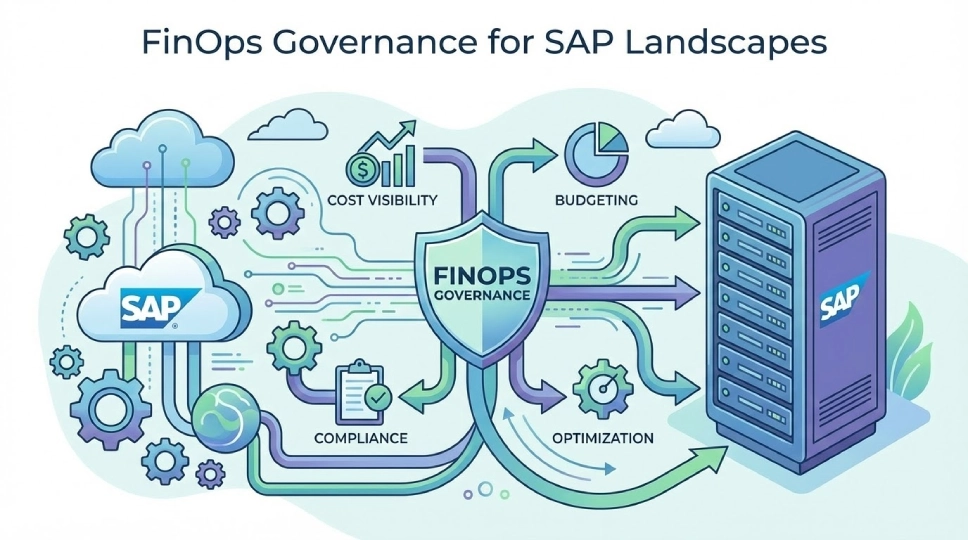
Creating policies for sizing, provisioning, and scaling
Establish clear rules before anyone creates SAP resources:
Sizing policies:
- All new SAP environments must submit sizing justification
- Development cannot exceed 50% of production sizing
- QA limited to 70% of production sizing
- Sandbox capped at specific instance sizes
Provisioning policies:
- Only approved instance types for SAP workloads
- All resources must be tagged before creation
- Cost center assignment required
- Business justification needed for new environments
Scaling policies:
- Production scaling requires change control approval
- Non-production can auto-scale within defined limits
- Emergency scaling allowed with post-approval
Embedding cost controls into change processes
Integrate FinOps for SAP into existing SAP change management:
- Change requests must include cost impact analysis
- New SAP modules require cloud cost forecast
- Performance improvements balanced against cost increase
- Decommissioning old functionality includes resource cleanup
Preventing cost creep after optimizations
Costs tend to drift back up after optimization. Prevent this:
- Monthly FinOps reviews comparing current vs optimized costs
- Automated alerts when costs increase beyond thresholds
- Quarterly re-assessment of SAP environment sizing
- Annual audit of all SAP cloud resources
- Continuous education on FinOps best practices
Measuring and Sustaining the 25% Cost Reduction
Achieving 25% savings is good. Sustaining it is better.
Tracking savings against baseline cloud spend
Establish baseline before starting FinOps for SAP:
- Document 3-month average SAP cloud spend
- Break down by environment (production, development, QA)
- Calculate cost per SAP user and per transaction
- Record this as your baseline
After optimization, track monthly:
- Actual spend versus baseline
- Savings percentage achieved
- Cost avoidance from governance preventing new waste
Industry data shows proper FinOps delivers 20-30% savings for SAP workloads. Some companies achieve 40% through aggressive optimization.
Ensuring performance and availability remain stable
Cost reduction means nothing if SAP performance suffers. Monitor continuously:
- SAP response times should stay below baseline
- Batch jobs complete within windows
- User complaints don’t increase
- System availability meets SLA targets
If performance degrades, roll back optimization and reassess approach.
Building accountability through regular reviews
Schedule recurring FinOps for SAP reviews:
Weekly:
- Check automated alerts and anomalies
- Review any emergency scaling events
Monthly:
- Full FinOps team meeting
- Review costs versus forecast
- Identify new optimization opportunities
- Update cost allocation to business units
Quarterly:
- Assess sizing of all SAP environments
- Review and update policies
- Business value assessment (cost per user, per transaction)
Common FinOps Mistakes UAE Companies Make with SAP
Learn from others’ mistakes to avoid wasting time and money.
Focusing only on infrastructure costs, not architecture
Some companies cut cloud costs by reducing instance sizes. This addresses symptoms, not causes.
Real FinOps for SAP examines architecture:
- Is SAP landscape design efficient?
- Are you running unnecessary SAP instances?
- Can workloads consolidate onto fewer systems?
- Are integrations optimized for cloud?
- Is data archiving working properly?
Optimizing once instead of continuously
FinOps isn’t a project. It’s an ongoing practice.
Companies that optimize once see costs creep back within 6 months:
- New projects add SAP environments
- Resource requests default to overprovisioning
- Old optimization rules become outdated
- Nobody monitors for new waste
Sustainable FinOps for SAP requires continuous attention.
Ignoring business seasonality and regional patterns
UAE business environment has specific patterns:
- Ramadan brings reduced business activity
- Summer months see lower operational demand
- Year-end (December/March depending on fiscal year) creates peak load
- Government fiscal year-end (December 31) affects public sector SAP
- Expo and tourism seasons impact hospitality and retail SAP
FinOps for SAP should account for these UAE-specific patterns.
How FinOps Supports Long-Term SAP Strategy
FinOps for SAP isn’t just about saving money today. It enables future SAP initiatives.
Preparing SAP environments for growth and innovation
Money saved through FinOps can fund innovation:
- SAP Fiori implementation for better user experience
- SAP Analytics Cloud for advanced reporting
- SAP S/4HANA migration acceleration
- AI and machine learning integration with SAP
- Process automation using SAP BTP
One Dubai company redirected AED 200,000 in monthly cloud savings toward SAP BTP projects.
Supporting future moves like RISE with SAP
RISE with SAP packages include cloud costs. FinOps practices help:
- Understand your current cloud spend to negotiate better RISE pricing
- Right-size SAP estate before RISE migration
- Establish governance that continues under RISE
- Compare RISE costs against current optimized spend
Turning cloud cost management into competitive advantage
Companies with mature FinOps for SAP gain business advantages:
- Faster deployment of new SAP capabilities (budget available)
- Better agility to respond to market changes
- More investment in SAP user experience improvements
- Ability to scale SAP for business growth without cost concerns
- Financial predictability for strategic planning
Getting Started with FinOps for SAP in the UAE
Ready to reduce SAP cloud costs by 25%? Here’s how to begin.
Identifying high-impact optimization opportunities first
Start with quick wins that deliver immediate savings:
- Find and decommission unused SAP environments (can save 10-15% immediately)
- Schedule non-production systems (saves 30-40% on non-prod costs)
- Move SAP backups to cheaper storage (reduces storage costs 40-50%)
- Right-size obviously oversized systems (often saves 20-30% per system)
These don’t require complex analysis. They’re safe and reversible.
Running a structured FinOps assessment for SAP
Comprehensive FinOps for SAP assessment includes:
Discovery phase:
- Inventory all SAP cloud resources
- Map costs to business units and processes
- Analyze utilization patterns over 30-90 days
- Interview SAP stakeholders about requirements
Analysis phase:
- Identify waste and optimization opportunities
- Calculate potential savings for each opportunity
- Assess risk and complexity of each optimization
- Prioritize based on savings versus effort
Planning phase:
- Create implementation roadmap
- Define governance model
- Establish metrics and tracking
- Assign responsibilities
Building a roadmap that balances cost, performance, and resilience
Good FinOps for SAP roadmap follows this sequence:
1-2 Months (Quick wins):
- Decommission unused environments
- Implement scheduling for non-production
- Optimize storage tiers
- Target: 10-15% cost reduction
3-4 Months (Right-sizing):
- Right-size SAP HANA databases
- Optimize application server sizing
- Implement auto-scaling for development
- Target: Additional 10-15% reduction
5-6 Months (Governance):
- Establish FinOps policies
- Integrate cost controls into change management
- Train teams on FinOps practices
- Target: Sustain savings and prevent cost creep
Ongoing (Continuous optimization):
- Monthly FinOps reviews
- Quarterly re-assessment
- New optimization opportunities
- Target: Maintain 25%+ savings long-term
Take Control of Your SAP Cloud Costs Today
UAE companies can achieve 25% SAP cloud cost savings without sacrificing performance. Research proves it. Leading companies demonstrate it.
The question isn’t whether FinOps for SAP works. It’s whether your organization will implement it before cloud costs become unmanageable.
What FinOps for SAP delivers:
- 20-30% cost reduction on SAP cloud spend (some achieve 40%)
- Better performance visibility and optimization
- Cross-functional collaboration between IT, finance, and business
- Predictable cloud costs aligned to business value
- Foundation for future SAP innovation
Partner With UAE SAP Experts for FinOps Success
Acharya Enterprise helps UAE organizations implement FinOps for SAP that delivers measurable results. Our team combines deep SAP technical knowledge with proven FinOps practices.
We don’t just cut costs. We optimize your entire SAP cloud landscape for sustainable performance and value.
Our FinOps for SAP services:
- Comprehensive SAP cloud cost assessment
- FinOps framework implementation for SAP landscapes
- SAP HANA and application server right-sizing
- Storage optimization and tier management
- Scheduling and automation for non-production SAP
- Cost governance policy development
- SAP cloud cost monitoring and reporting
- Continuous optimization and support
Get a free FinOps assessment for your SAP environment. We’ll analyze your current SAP cloud spend and show you exactly where you can achieve 25% or more in savings.
Contact Acharya Enterprise today to start reducing SAP cloud costs without compromising performance.
About Acharya Enterprise
Acharya Enterprise is a leading SAP services provider in the UAE, specializing in SAP cloud optimization, S/4HANA migration, and managed services. With SAP consultants across 10+ countries and deep expertise in UAE business requirements, we help organizations maximize SAP value while minimizing costs.
Related services: SAP Cloud Optimization | FinOps Implementation | SAP HANA Right-Sizing | Cloud Cost Management | S/4HANA Migration | SAP Managed Services | Cloud Governance